
As a new advertiser, you’re probably excited to investigate the world of Google Ads and start driving traffic to your website. But before you begin, you may have received Google Ads credits as a promotional offer or incentive. Now, you’re wondering how to redeem them to get the most out of your ad campaigns. Don’t worry, you’re in the right place! In this guide, we’ll walk you through a step-by-step process on how to redeem your Google Ads credits, ensuring you get started with your advertising journey on the right foot.
Key Takeaways:
- Eligibility: Google Ads credits are available to new advertisers who have never advertised with Google Ads before. To be eligible, you must create a new Google Ads account and meet the promotional terms and conditions.
- Redemption Process: To redeem your Google Ads credits, follow these steps: sign in to your Google Ads account, click on the “Tools” icon, select “Billing” and then “Promotions”, enter the promotional code, and review the terms and conditions. Your credits will be applied to your account once you’ve completed these steps.
- Credit Expiration: Google Ads credits typically expire after a certain period, usually 30-60 days. Make sure to use your credits within the specified timeframe to avoid losing them. You can check the expiration date in your Google Ads account under “Billing” and “Promotions”.
- Ad Spend Requirements: To redeem your Google Ads credits, you may need to meet a minimum ad spend requirement. This amount varies depending on the promotional offer, but it’s usually a small amount, such as $50 or $100. Make sure to review the terms and conditions to understand the ad spend requirements.
- Credit Limitations: Google Ads credits can only be used for ads on the Google Search Network and Display Network. They cannot be used for other Google services, such as YouTube ads or Google Analytics. Additionally, credits may not be transferable or redeemable for cash.
Brief Overview of Google Ads and Its Importance
Before stepping into the world of Google Ads credits, it’s important to understand the basics of Google Ads and its significance for businesses.
What is Google Ads and why is it important for businesses?
Overview of Google Ads reveals that it’s a powerful online advertising platform that enables businesses to create and display ads on the Google search engine and other websites. You can reach potential customers, increase brand awareness, and drive website traffic and sales. As a business owner, you need Google Ads to stay competitive in today’s digital landscape.
The benefits of using Google Ads for new advertisers
One of the most significant advantages of Google Ads is its ability to provide measurable results and flexibility in budgeting. You can set a daily budget, and Google Ads will ensure you don’t overspend.
The flexibility of Google Ads is particularly beneficial for new advertisers like you. You can start with a small budget, test your ads, and scale up as you see results. This approach allows you to minimize risks and maximize your return on investment (ROI). With Google Ads, you can target specific keywords, demographics, and interests to reach your ideal audience, increasing the likelihood of conversions and sales.
Google Ads Credits: What You Need to Know
One of the most effective ways to maximize your online advertising efforts is by utilizing Google Ads credits. But before you look into redeeming them, it’s vital to understand what they are, where they come from, and how they can benefit your business.
Definition and Explanation of Google Ads Credits
Defining Google Ads credits is straightforward: they’re promotional funds provided by Google to help you get started with Google Ads or to encourage you to continue advertising with them. These credits can be used to pay for ads on the Google Ads platform, giving you more visibility and reach for your business.
Sources of Google Ads Credits (e.g., Google Promotions, Partnerships)
Sourcing Google Ads credits can happen through various channels, including Google promotions, partnerships with Google, and even special offers for new advertisers like you.
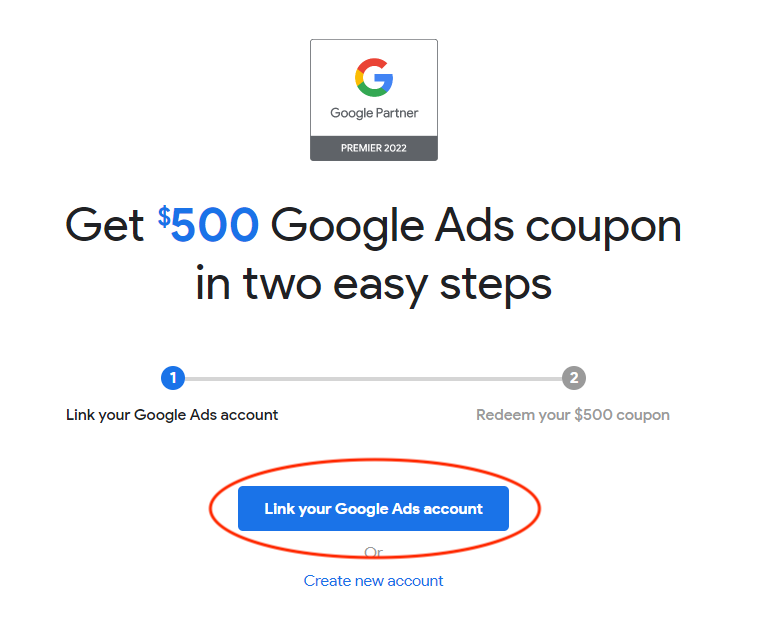
Google often runs promotions and offers credits to new advertisers, especially during peak seasons or holidays. Additionally, if you’re part of a Google partner program or have a managed Google Ads account, you may be eligible for credits as well. Keep an eye out for these opportunities to boost your ad spend.
Advantages of Using Google Ads Credits for New Advertisers
Credits can be a game-changer for new advertisers like you, providing a risk-free way to test the waters of Google Ads.
Need to get more bang for your buck? Google Ads credits can help you stretch your advertising budget further, allowing you to experiment with different ad formats, targeting options, and bidding strategies without breaking the bank. This can be especially beneficial if you’re new to Google Ads and still figuring out what works best for your business.
Eligibility Criteria for Google Ads Credits
Unlike other promotional offers, Google Ads credits come with specific eligibility criteria that you need to meet to redeem them. In this section, we’ll break down the requirements to help you understand who qualifies for these credits and how to check your eligibility status.
Who qualifies for Google Ads credits?
With the aim of supporting new businesses, Google Ads credits are primarily designed for new advertisers who have never advertised with Google Ads before. If you’re a new advertiser looking to kick-start your online advertising journey, you might be eligible for these credits.
Conditions to meet for new advertisers to receive credits
Credits are not automatically awarded to every new advertiser. You need to meet certain conditions to receive them, such as creating a new Google Ads account, setting up your billing information, and meeting the minimum spend requirement within a specified timeframe.
Meet these conditions, and you’ll be eligible to receive Google Ads credits, which can be used to run your ad campaigns and drive more traffic to your website.
How to check eligibility status
Advertisers often wonder if they’re eligible for Google Ads credits. To put your mind at ease, you can easily check your eligibility status by logging into your Google Ads account and looking for the credits notification.
Check your account dashboard regularly, as Google Ads credits are usually awarded within a few days of meeting the eligibility criteria. If you’re eligible, you’ll receive an email notification with instructions on how to redeem your credits.
A Step-by-Step Guide to Redeeming Google Ads Credits
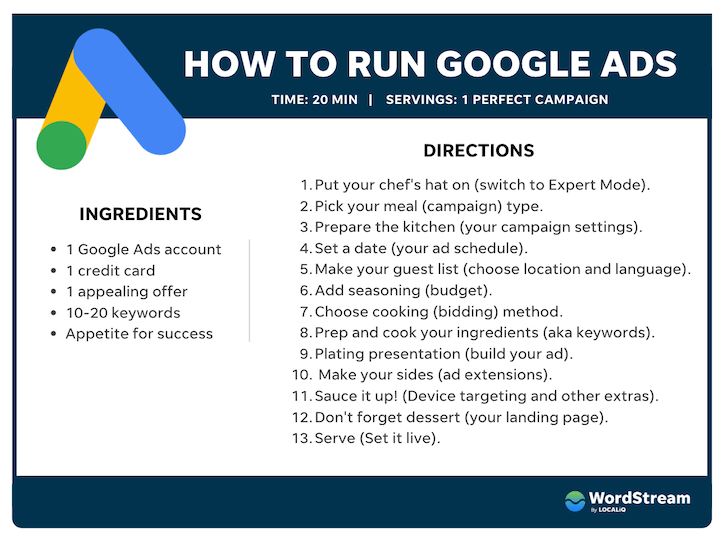
Keep in mind that redeeming Google Ads credits is a straightforward process. To help you navigate it easily, we’ve broken down the steps into a simple table:
| Step | Description |
|---|---|
| Step 1: Accessing the Google Ads platform | Log in to your Google Ads account and access the platform |
| Step 2: Navigating to the Billing section | Find the Billing section in your Google Ads account |
| Step 3: Entering the promotional code | Enter the promotional code to redeem your Google Ads credits |
| Step 4: Verifying the credit application | Verify your credit application to ensure it’s valid |
| Step 5: Confirming the credit application and account setup | Confirm your credit application and set up your Google Ads account |
Step 1: Accessing the Google Ads platform
To access the Google Ads platform, simply log in to your Google Ads account using your credentials. If you don’t have an account yet, create one by following the sign-up process.
Step 2: Navigating to the Billing section
Step into the Billing section of your Google Ads account by clicking on the “Tools” icon in the top navigation bar and selecting “Billing” from the dropdown menu.
Google Ads makes it easy to find the Billing section by providing a clear and intuitive interface. You can also use the search bar at the top of the page to find the Billing section quickly.
Step 3: Entering the promotional code
An necessary step in redeeming your Google Ads credits is entering the promotional code. To do this, click on the “Promotional codes” tab in the Billing section and enter your unique code in the designated field.
The platform will then validate your code and apply the credits to your account. Make sure to enter the code correctly to avoid any errors.
Step 4: Verifying the credit application
An important step in the redemption process is verifying your credit application. This ensures that your application is valid and meets the necessary requirements.
Billing information is crucial in this step, so make sure to provide accurate details to avoid any delays or issues.
Step 5: Confirming the credit application and account setup
Confirming your credit application and setting up your Google Ads account is the final step in redeeming your credits. Once you’ve verified your application, you’ll be prompted to set up your account and confirm your credit application.
The code you entered earlier will be applied to your account, and you’ll be ready to start creating your Google Ads campaigns. Congratulations! You’ve successfully redeemed your Google Ads credits.

Strategies for Maximizing Google Ads Credits
All new advertisers want to get the most out of their Google Ads credits. To help you achieve this, we’ve put together some strategies to maximize your credits and drive real results for your business.
Setting up a budget and campaign goals
On the path to maximizing your Google Ads credits, setting up a budget and campaign goals is crucial. Define your target audience, set specific goals, and allocate your credits accordingly. This will help you focus your efforts and ensure you’re getting the most bang for your buck.
Monitoring performance and adjusting strategies
Any successful Google Ads campaign relies on continuous monitoring and optimization. Keep a close eye on your ad performance, identifying areas for improvement and adjusting your strategies accordingly.
Performance metrics like click-through rates, conversion rates, and cost per conversion will give you valuable insights into what’s working and what’s not. Use this data to refine your targeting, ad copy, and bidding strategies, ensuring you’re maximizing your credits and driving real results.
Tips for using credits effectively
An effective way to maximize your Google Ads credits is to use them strategically. Here are some tips to get you started:
- Focus on high-performing ad groups and keywords
- Optimize your ad copy and landing pages for better conversions
- Use negative keywords to avoid wasted spend
- Set up conversion tracking to measure ROI
After implementing these strategies, you’ll be able to make the most of your Google Ads credits and drive real results for your business.
Goals-oriented advertisers know that maximizing Google Ads credits is all about using them strategically. By focusing on high-performing areas, optimizing ad copy and landing pages, and avoiding wasted spend, you’ll be able to achieve your goals and drive real results. Here are some additional tips to keep in mind:
- Use ad extensions to increase visibility and CTR
- Target long-tail keywords for higher conversion rates
- Set up remarketing campaigns to target high-value audiences
- Monitor and adjust your bids regularly to ensure maximum ROI
After implementing these strategies, you’ll be well on your way to maximizing your Google Ads credits and achieving your business goals.
Overcoming Common Issues During Redemption
Your Google Ads credits redemption journey may not always be smooth sailing. Be prepared to encounter some obstacles along the way.
Possible challenges during the redemption process
Processing your Google Ads credits can sometimes hit a roadblock. You may encounter issues with invalid codes, incorrect account setup, or difficulties in applying the credits to your campaign.
Solutions to common problems (e.g., invalid codes, account setup issues)
Common hurdles can be overcome with the right approach. Here’s what you need to do:
To resolve issues with invalid codes, double-check the code entry and ensure it matches the one provided by Google. If the problem persists, reach out to Google Ads support for assistance. For account setup issues, verify that your account is properly set up and meets the requirements for redeeming Google Ads credits. If you’re still stuck, consult Google’s support resources or contact their support team for guidance.
Real-Life Examples of Google Ads Credits Success
Not every business has seen success with Google Ads credits, but many have. Let’s take a look at some real-life examples.
Examples of businesses that have successfully used Google Ads credits
Google-like startup, Freshdesk, used Google Ads credits to boost their online presence and increase conversions. They saw a significant jump in their lead generation and were able to expand their customer base. Similarly, e-commerce platform, Shopify, utilized Google Ads credits to drive traffic to their website and increase sales.
Key takeaways from their experiences
Examples of successful Google Ads credits redemption show that it’s important to have a clear understanding of your target audience and tailor your ad campaigns accordingly. By doing so, you can maximize the impact of your Google Ads credits and drive real results for your business.
Google Ads credits can be a game-changer for your business, but it’s crucial to use them strategically. By studying the successes of other businesses, you can learn how to optimize your ad campaigns and get the most out of your credits. Note, it’s not just about redeeming the credits, but about using them to drive real results for your business. By following in the footsteps of successful businesses, you can set yourself up for success and take your online advertising to the next level.
Managing Your Google Ads Credits
Many advertisers struggle to keep track of their Google Ads credits, leading to missed opportunities and wasted resources. In this section, we’ll cover the necessarys of managing your credits effectively.
How to track your credit balance
Google provides an easy way to monitor your credit balance. Simply log in to your Google Ads account, navigate to the “Billing” tab, and click on “Transactions.” Here, you’ll find a detailed breakdown of your credit balance, including any available credits, pending transactions, and past invoices.
Best practices for credit management
Credit management is crucial to getting the most out of your Google Ads credits. Credit optimization involves strategically allocating your credits to maximize ROI and minimize waste.
This is where a thorough understanding of your advertising goals and target audience comes into play. By aligning your credit allocation with your business objectives, you can ensure that your credits are being used to drive real results. For instance, if you’re looking to increase brand awareness, you may want to allocate more credits to display ads. On the other hand, if you’re focused on driving conversions, you may want to prioritize search ads. By adopting a data-driven approach to credit management, you can optimize your ad spend and achieve a better return on investment.
Advanced Tips for Optimizing Google Ads Credits
After redeeming your Google Ads credits, it’s crucial to optimize their usage to get the most out of your advertising budget. Here are some advanced tips to help you maximize your ROI:
- Segment your campaigns to target specific audiences and devices.
- Use ad extensions to increase your ad’s visibility and click-through rate.
- Monitor your ad performance regularly and adjust your bids accordingly.
| Campaign Type | Optimization Tips |
|---|---|
| Search Campaigns | Use exact match keywords, set up ad groups with similar themes, and optimize for mobile devices. |
| Display Campaigns | Target specific websites, use interest targeting, and optimize for view-through rate. |
| Video Campaigns | Use attention-grabbing thumbnails, target specific YouTube channels, and optimize for view-through rate. |
| Shopping Campaigns | Optimize product titles and descriptions, use high-quality product images, and target specific product categories. |
Using credits for specific campaign types (e.g., search, display)
When using credits for specific campaign types, make sure to tailor your optimization strategies to each campaign type. For example, search campaigns require exact match keywords, while display campaigns benefit from targeting specific websites.
- Thou shalt not use the same optimization strategy for all campaign types.
Strategies for maximizing ROI with Google Ads credits
Google Ads credits can be a game-changer for your advertising efforts, but only if you use them strategically. Here are some strategies to help you maximize your ROI:
Strategies such as targeting high-intent keywords, using ad extensions, and optimizing for mobile devices can significantly improve your ad performance. Additionally, regularly monitoring your ad performance and adjusting your bids accordingly can help you get the most out of your Google Ads credits.
Google Ads Credits and Account Management
Now that you have a better understanding of Google Ads credits, it’s vital to learn how to manage them effectively within your Google Ads account.
How to link your Google Ads account to your credit
Credits are redeemed directly into your Google Ads account, so you’ll need to link the two. To do this, sign in to your Google Ads account, click on the “Tools” icon, and select “Billing & payments.” From there, click on “Promotions” and enter your credit code. Follow the prompts to apply the credit to your account.
Managing multiple accounts with Google Ads credits
Your Google Ads credits can be used across multiple accounts, making it easy to manage campaigns for different clients or business divisions.
Plus, this feature allows you to allocate credits strategically, ensuring that each account has the necessary budget to achieve its goals. For instance, if you have a high-priority campaign, you can allocate more credits to that account to maximize its reach and impact.
Troubleshooting Advanced Issues
Despite following the step-by-step guide, you may encounter some advanced issues while redeeming your Google Ads credits. Don’t worry, we’ve got you covered. Here are some common problems and their solutions:
- Invalid promo code error
- Credit not applied to the correct account
- Issues with credit expiration dates
- Credit redemption limits exceeded
| Error Message | Solution |
|---|---|
| Invalid promo code error | Check the promo code for any typos or invalid characters. Make sure you’re entering the correct code. |
| Credit not applied to the correct account | Verify that you’re logged in to the correct Google Ads account. If you have multiple accounts, try switching between them to ensure the credit is applied correctly. |
| Issues with credit expiration dates | Check the credit’s expiration date and make sure it’s still valid. If it’s expired, you won’t be able to redeem it. |
| Credit redemption limits exceeded | Review your account’s credit redemption history to ensure you haven’t exceeded the allowed limit. If you have, you’ll need to wait until the limit resets. |
Resolving technical issues with credit redemption
Technological glitches can happen, but they’re often easy to resolve. If you’re experiencing technical issues while trying to redeem your credit, try clearing your browser cache and cookies, then attempt to redeem the credit again. If the issue persists, reach out to Google Ads support for assistance.
Dealing with credit-related account suspensions
On occasion, your Google Ads account may be suspended due to credit-related issues. This can be frustrating, but there are steps you can take to resolve the issue.
Issues with credit-related account suspensions often arise from invalid or expired credits. To resolve the issue, review your credit redemption history and ensure that all credits are valid and applied correctly. If you’re still having trouble, contact Google Ads support to help you resolve the issue and reactivate your account.
Additional Resources for Google Ads Credits
All new advertisers need a little extra help when it comes to navigating Google Ads credits. That’s why we’ve compiled a list of additional resources to support you on your journey.
Links to official Google Ads support pages
Pages like Google’s official support center and help forums are treasure troves of information on Google Ads credits. You can find answers to frequently asked questions, troubleshooting guides, and more. Bookmark these pages for quick reference whenever you need it.
Relevant articles and guides for further reading
Articles like “How to Optimize Your Google Ads Campaigns” and “Maximizing Your Google Ads Budget” offer valuable insights and strategies to get the most out of your Google Ads credits. Take your skills to the next level by diving deeper into these resources.
This collection of guides and articles is designed to help you refine your Google Ads strategy, avoid common mistakes, and make the most of your credits. You’ll find expert advice, real-life examples, and actionable tips to improve your ad performance and drive more conversions. By reading these resources, you’ll be well on your way to becoming a Google Ads pro!
Call to Action
Once again, congratulations on making it to the end of this comprehensive guide on redeeming your Google Ads credits! You now have all the knowledge you need to get started with redeeming your credits and boosting your online advertising efforts.
Start Redeeming Your Credits Today!
Immediately put your newfound knowledge into action and start redeeming your Google Ads credits today! Don’t let your hard-earned credits go to waste – use them to drive more traffic, generate leads, and grow your business.
Share Your Experiences or Ask Questions
Any questions or concerns about redeeming your Google Ads credits? Share your experiences, ask for clarification, or seek advice from others who may have gone through similar challenges in the comments section below.
Questions about the redemption process, troubleshooting common issues, or optimizing your ad campaigns? Don’t hesitate to ask, and we’ll do our best to provide helpful insights and support to ensure your success with Google Ads.
To wrap up
Drawing together the threads of this guide, you now have a clear roadmap to redeeming your Google Ads credits. By following these step-by-step instructions, you’ve successfully unlocked the potential to boost your online presence and drive more sales. Recall, your Google Ads credits are a valuable resource, and with this guide, you’re empowered to maximize their impact. Take the next step, apply your credits, and watch your business thrive in the digital landscape.
FAQ
Q: What are Google Ads credits and how do I get them?
A: Google Ads credits are promotional offers provided by Google to new advertisers, allowing them to try out Google Ads and get started with online advertising. You can get Google Ads credits by creating a new Google Ads account, and in some cases, by participating in specific Google promotions or events. These credits can be used to run ads on the Google Ads platform and are usually valid for a limited time.
Q: How do I redeem my Google Ads credits?
A: To redeem your Google Ads credits, follow these steps: Sign in to your Google Ads account, click on the “Tools” icon in the top right corner, and select “Billing” from the drop-down menu. Then, click on “Promotions” and enter the promo code provided by Google. Make sure to enter the correct code and follow the on-screen instructions to redeem your credits.
Q: Can I use Google Ads credits for any type of ad campaign?
A: Yes, Google Ads credits can be used for any type of ad campaign, including Search, Display, Video, and Shopping ads. However, please note that some restrictions may apply, and credits may not be valid for certain ad formats or targeting options. Be sure to review the terms and conditions of your Google Ads credits before creating your ad campaigns.
Q: Do Google Ads credits expire, and what happens if I don’t use them?
A: Yes, Google Ads credits usually have an expiration date, which varies depending on the promotion. If you don’t use your credits before they expire, they will be forfeited, and you won’t be able to redeem them. Make sure to check the expiration date of your credits and plan your ad campaigns accordingly to get the most out of your promotional offer.
Q: Can I combine Google Ads credits with other promotions or discounts?
A: In most cases, Google Ads credits cannot be combined with other promotions, discounts, or coupons. However, it’s always best to review the terms and conditions of your specific promotion to confirm. If you’re unsure, you can contact Google Ads support for clarification on how to redeem your credits and any potential restrictions that may apply.
Author


Vibe: The Secrets of Strong Connections in a Lonely World
$22.40 (as of October 5, 2026 17:54 GMT +00:00 – More infoProduct prices and availability are accurate as of the date/time indicated and are subject to change. Any price and availability information displayed on [relevant Amazon Site(s), as applicable] at the time of purchase will apply to the purchase of this product.)
Start with Why 15th Anniversary Edition: How Great Leaders Inspire Everyone to Take Action
$17.72 (as of October 5, 2026 17:53 GMT +00:00 – More infoProduct prices and availability are accurate as of the date/time indicated and are subject to change. Any price and availability information displayed on [relevant Amazon Site(s), as applicable] at the time of purchase will apply to the purchase of this product.)
The AI-Driven Leader: Harnessing AI to Make Faster, Smarter Decisions
$13.13 (as of October 5, 2026 17:54 GMT +00:00 – More infoProduct prices and availability are accurate as of the date/time indicated and are subject to change. Any price and availability information displayed on [relevant Amazon Site(s), as applicable] at the time of purchase will apply to the purchase of this product.)
Conversation: How to Connect with Anyone & Make Every Interaction Count
$17.33 (as of October 5, 2026 17:53 GMT +00:00 – More infoProduct prices and availability are accurate as of the date/time indicated and are subject to change. Any price and availability information displayed on [relevant Amazon Site(s), as applicable] at the time of purchase will apply to the purchase of this product.)


Leave a Reply